
Contents
Mute - Motion Utility Extension
A motion designer’s side project that grew into a complete workflow toolkit.
The Backstory
Mute didn’t start as a product. It began as a personal workflow hack.
Back in 2016, I built a small After Effects script called mExpression to help me store and reuse animation expressions I often wrote from scratch.
It solved one problem really well, creating and managing an expression library, and soon caught the attention of the motion design community. Even “Motion Design School” recommended it to their students because there was simply no other tool that did this efficiently at the time.
But as the script gained users, I began to hit the limits of what After Effects scripting could do.
Scripts were functional, but their UI capabilities were restricted: no modular panels, no real interactivity, and no visual flow.
As a designer, that friction bothered me. So I decided to rebuild the idea entirely as a CEP extension, using Chromium, React, SCSS, Node.js, Firebase, and ExtendScript.
The result was Mute, an all-in-one motion utility extension built for designers like me who wanted power and polish in one place.
The Problem
After Effects has an incredible community of tools and scripts. But that abundance often creates fragmentation.
Designers rely on multiple separate plugins for everyday tasks—one for easing curves, another for anchor alignment, another for color palettes, and yet another for expressions.
Together they’re powerful, but juggling all of them quickly becomes expensive and inefficient.
Tools like “Motion 4” tried to bridge that gap, but came with a premium price tag. For many independent designers, this created an accessibility barrier.
I wanted Mute to solve this from both a UX and accessibility perspective: a single, thoughtfully designed panel that brought the most essential After Effects utilities together under one interface.
A free version generous enough to cover core tasks, and a Pro version for power users who wanted to go deeper.
“The goal wasn’t to reinvent the wheel. It was to unify it.”
Design Goals
With Mute, my goal wasn’t just to design a tool. It was to design clarity, that uninterrupted creative rhythm, where the interface quietly helps rather than demands attention.
As motion designers, we spend hours fine-tuning frames, but ironically, our tools often interrupt that flow with cluttered panels and scattered plugins. I wanted Mute to restore that rhythm. A space that felt invisible, yet indispensable.
Native by Nature
Mute needed to look and behave like it belonged to After Effects itself.
Every pixel, margin, and tone was designed to echo AE’s familiar environment. The interface colors even adapt dynamically to match the user’s theme, dark, medium, or light, so the panel always feels native.
This commitment to visual harmony also guided typography and icons. Everything aligns with Adobe’s design language to create effortless continuity.
Flexible and Personal
No two motion designers work the same way, so Mute shouldn’t assume one pattern fits all.
That led to the customizable Home Panel, where users can choose which tools appear based on their workflow.
The result is a workspace that evolves with the user, not the other way around.
Frictionless Flow
Speed isn’t just about performance; it’s about predictability.
Mute’s interactions minimize clicks, context switches, and decision fatigue. Frequent actions are within a single glance, while secondary ones stay close but out of the way.
Everything loads fast, feels responsive, and provides subtle feedback to maintain creative flow.
Consistent Depth
With more than 40 tools in one interface, consistency became essential.
Each feature follows a shared interaction model: same grid, same icon rhythm, same feedback logic. Once you’ve learned one module, you understand the rest.
Simplicity, scaled through structure.
Accessible and Approachable
Mute was never meant to feel technical.
It’s approachable, visual, and clear with rounded edges, balanced contrast, and friendly labeling. Inviting enough for new users, yet powerful enough for professionals handling complex projects.
“Powerful enough for pros, simple enough for daily use.”
Product Overview
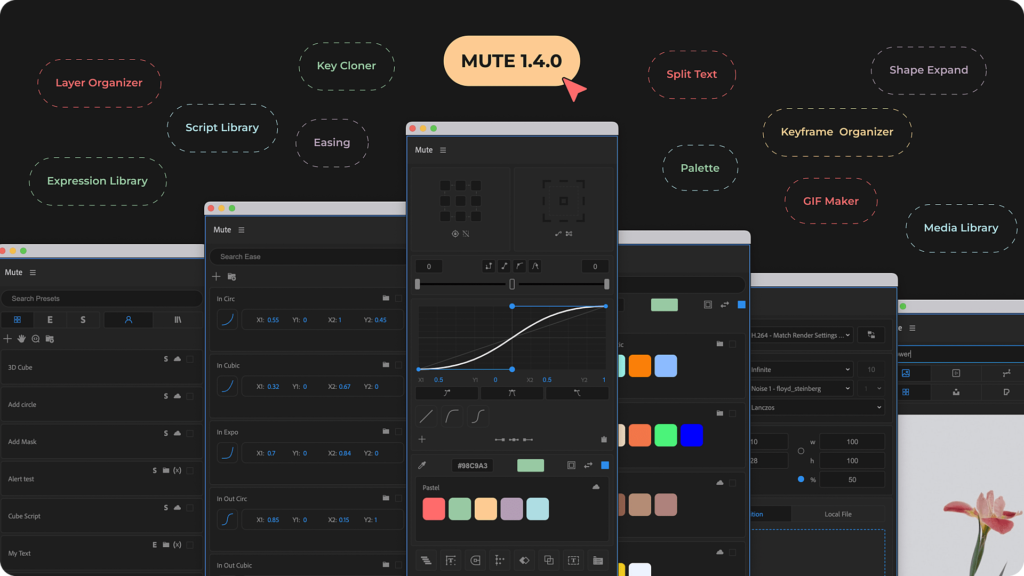
Mute brings together more than 40 motion design utility tools into one cohesive interface inside After Effects.
Each module solves a creative need, but all share the same design language and purpose: to make motion work faster, smoother, and more enjoyable.
Motion Tools
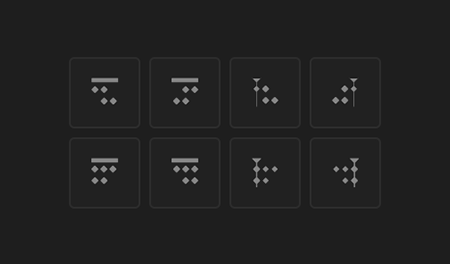
Modules like Anchor Align, Layer Organizer, Key Cloner, and Null Creator automate repetitive tasks so designers can stay focused on creativity.
Expression & Script Presets
What started as mExpression evolved into a full Expression & Script Library. Users can save, organize, and reuse expressions instantly, bridging the gap between code and creativity.
Mute also lets users create presets with editable variables – string, boolean, or numbers that can be changed on the fly without touching code.
This turns static snippets into living, adaptable systems that evolve with each project. It makes technical animation not just faster, but genuinely creative.
Ease & Animation Controls
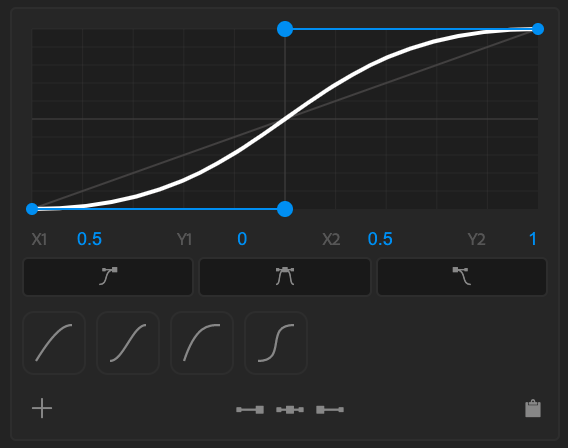
The Ease Slider and Curve Preset Library give designers a visual playground for refining motion.
You can tweak curves, preview results live, and apply easing directly to keyframes, designed for how animators actually think.
Media Libraries
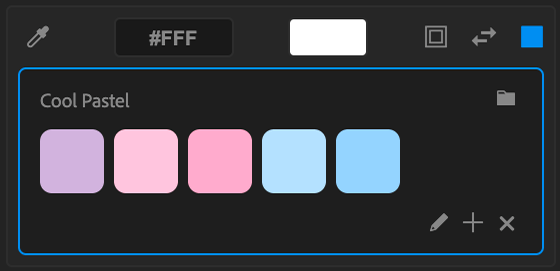
The Color Palette Library and Media Library keep visual assets close.
They connect seamlessly with Photoshop, Illustrator, and Premiere Pro for cross-app workflows, and include a GIF Maker for quick motion exports.
Visual Workflow & Project Organizers
Modules like Project Organizer, Shape Expander, and Stroke Modifier help maintain order.
Mute scales from solo projects to studio pipelines while keeping everything clean and consistent.
Free vs Pro
The Free Version includes all the essentials like Layer Organizer, Anchor Tools, Null Creator, Key Cloner, and Expression Library.
The Pro Version adds advanced modules like Ease Controls, Palettes, Media Libraries, and Automation Tools.
Start free. Grow into a pro.
Connected by Firebase
Mute runs on Google Firebase, which powers cloud sync and real-time licensing.
Every user’s presets, color palettes, scripts, and expressions are securely stored in the cloud. Install Mute on any system, log in, and your setup appears instantly.
Firebase also handles authentication, subscription, and license management, turning Mute into a connected creative ecosystem.
“Everything in one place, always within reach.”
Design System & Visual Language
Layout & Structure
Mute follows a modular grid aligned with AE’s panel rhythm. Uniform padding and consistent spacing make each module familiar and quick to read.
Typography & Iconography
Mute uses Adobe’s native Clean UI font and the Adobe Spectrum icon set. When custom icons were needed, I designed them using the same geometry and weight for seamless consistency.
ABCDE
abcde
12345
Color System
Mute adapts to AE’s interface theme automatically, light to dark. Accent colors are minimal, used only for feedback and clarity.
Dynamic Interface Color
Accent Color
Visual Hierarchy
Primary tools are bold and visible. Secondary ones stay subtle and quiet. This hierarchy helps users find what they need without visual overload.
Usability Details
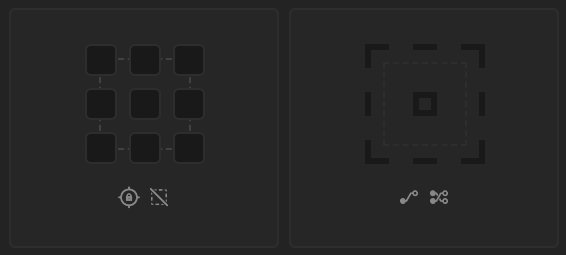
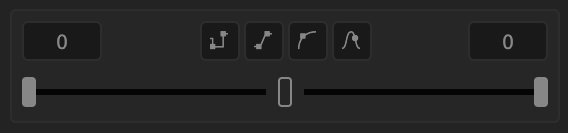
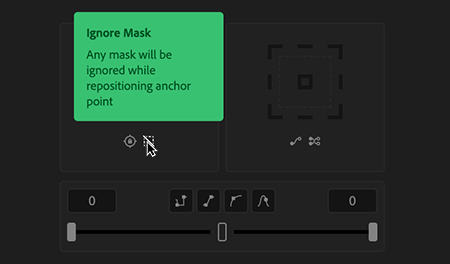
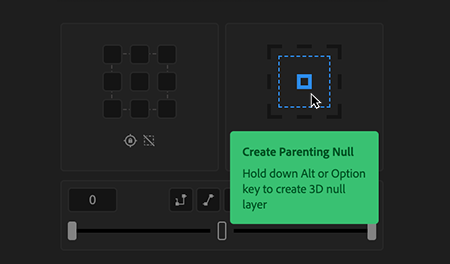
Every icon includes an informative tooltip. It’s a small touch that makes Mute easier to explore, especially for first-time users.
Micro-Interactions
Subtle hover highlights and button animations make Mute feel alive. These small moments add rhythm and responsiveness without distraction.
Mute’s design system is an act of restraint, minimal color, functional typography, and clear structure, so that creativity stays in focus.
Key Screens & UX Insights
Every feature in Mute was designed around one question: “How can I make this faster, cleaner, and more natural for a motion designer?”
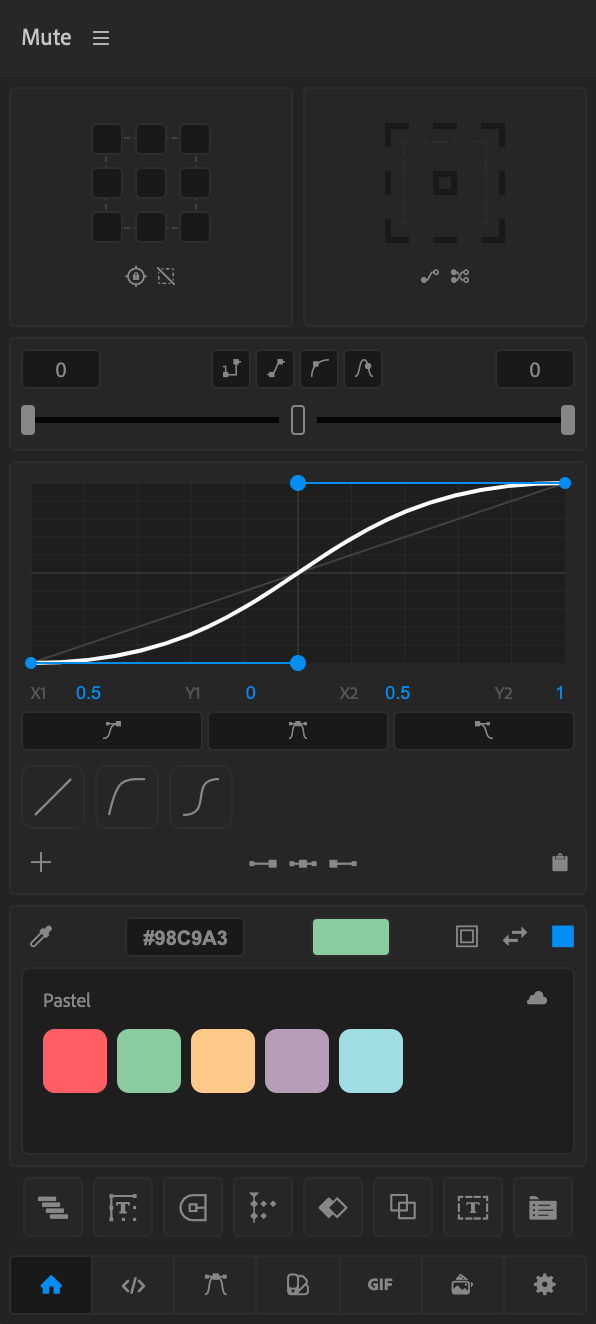
Home Panel
The Home Panel is fully customizable. Designers choose which tools appear based on their workflow. It feels personal and familiar from day one.
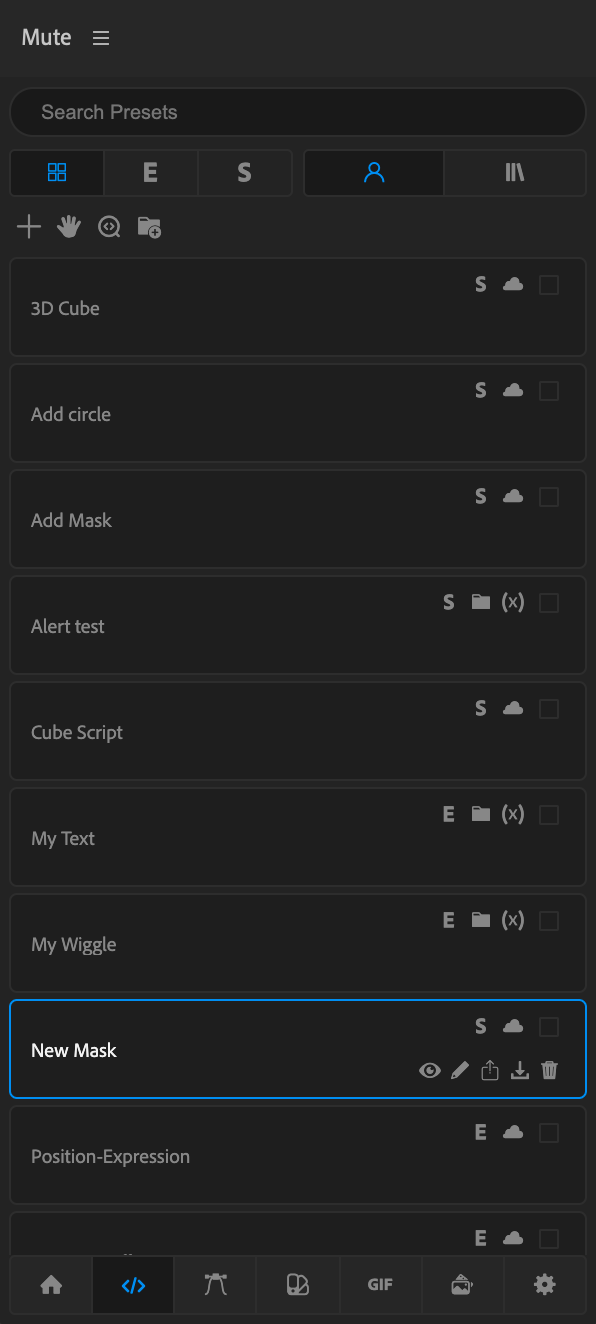
Expression & Script Library
Dynamic presets with variables let users change sliders and values without touching code. The dual-pane layout keeps editing and management clean and focused.
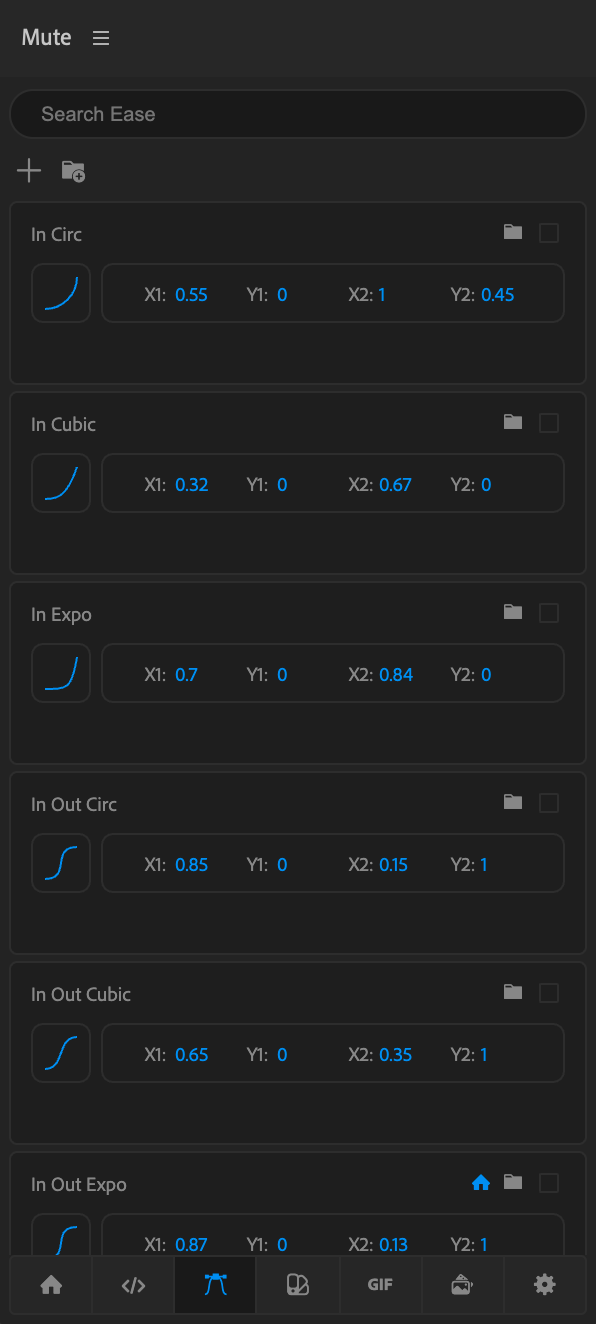
Ease Controls
Refine animation timing visually. Preview, adjust, and save custom easing curves without leaving the timeline.
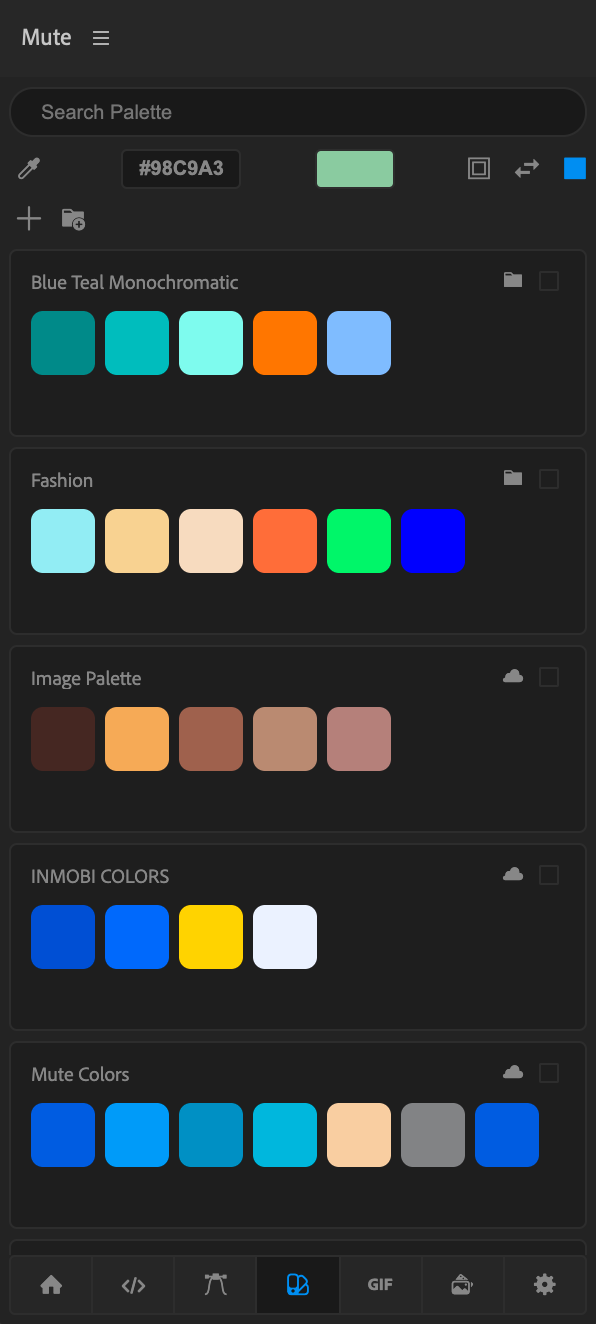
Color Palette Library
Build and sync color palettes through Firebase. Every palette follows you across devices.
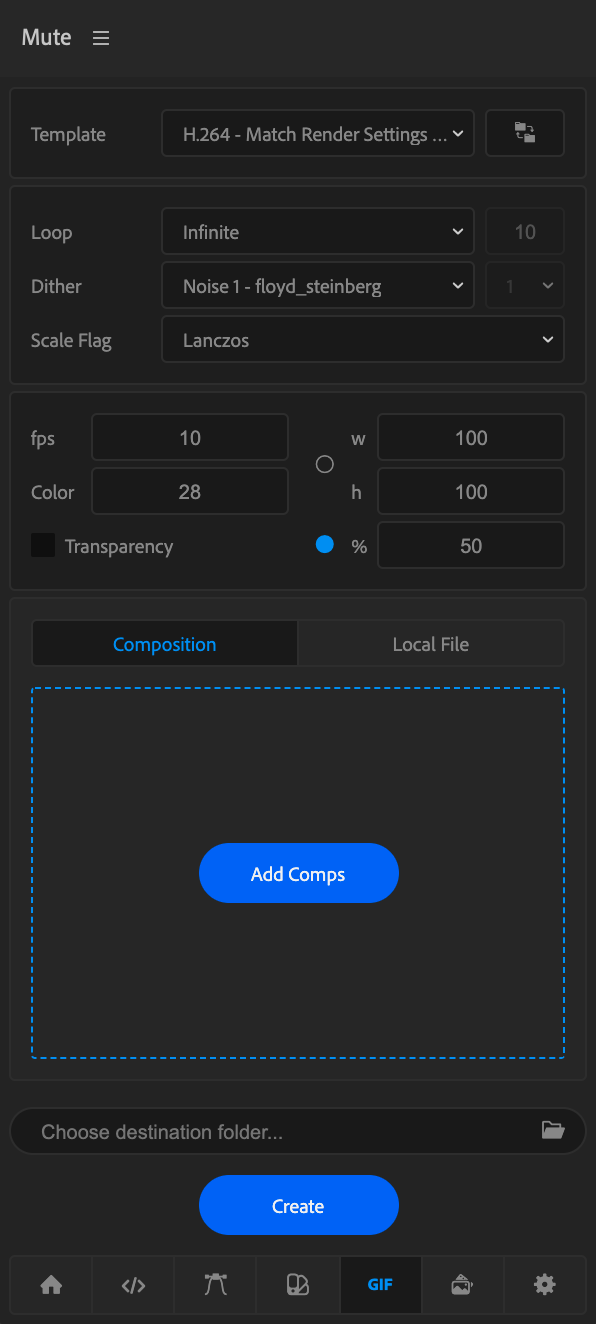
GIF Maker
Create and export motion previews instantly—fast, lightweight, and ready for sharing.
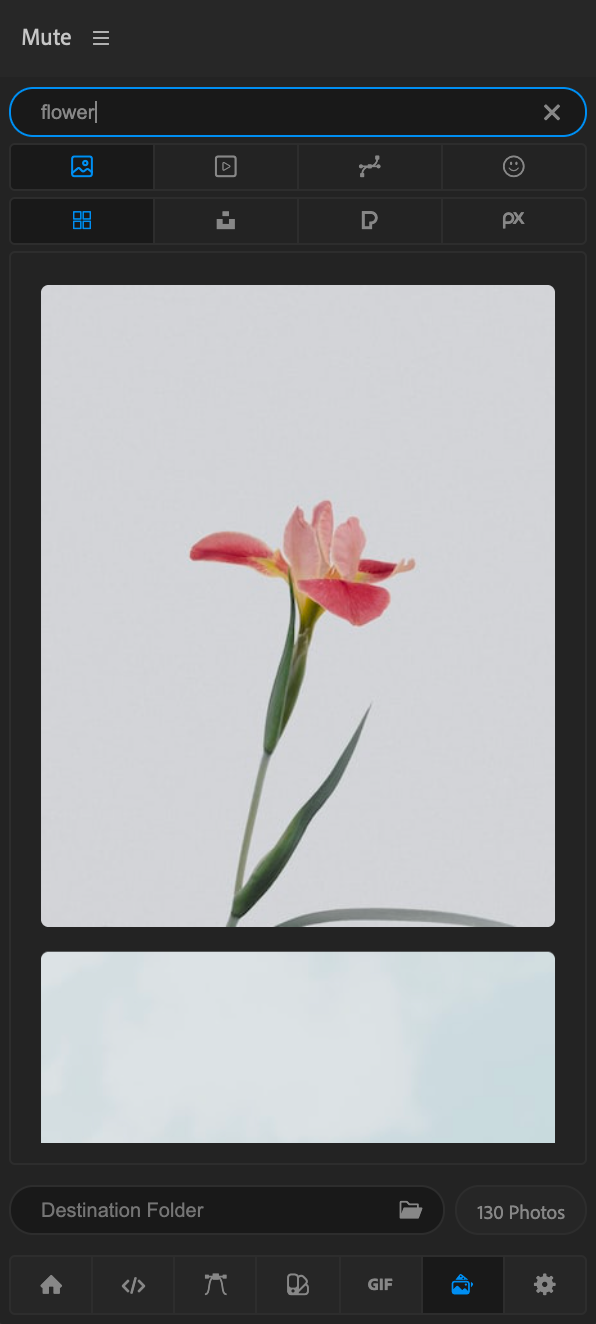
Media Library
Browse, preview, and import media across Adobe apps. A unified hub for all visual resources.
Impact
Today, Mute is trusted by more than 600,000 motion designers worldwide.
From students to studio professionals, it’s grown organically through community trust and creative necessity
“When a tool respects creativity, creatives embrace it back.”
600,000 + Golbal User
What’s Next
Mute continues to evolve. Upcoming updates include:
Drag-to-rearrange Home Panel
Curve-based Layer Organizer
AI assistance for expressions, scripts, and color suggestions
The goal is simple: to make Mute not just faster, but smarter.
Reflection
Building Mute reminded me why I love design. Because great design doesn’t demand attention, it earns it quietly through care, clarity, and purpose.
“Even in complex tools, simplicity is the most powerful feature of all.”
Summary Snapshot
Preject Name:
Mute – Motion Utility Extension
Type:
Product Design, UI/UX, Frontend + Extension Development
Timeline:
2021 — Present
User Base:
600,000+ global users
Version:
1.4.0 (Next version in development)
Stack:
React, SCSS, Node.js, Firebase, Adobe CEP, ExtendScript
Role:
Concept, Design, Development, UI/UX, Branding
Key Features:
Expression & Script Library • Ease Library • Color Palette Library • Media Library • Cloud Sync • Dynamic Expression Presets & 40+ Tools
Upcoming:
Curve-Based Organizer • Drag-to-Rearrange Home • AI-Powered Assistance
Website:
Thank You
Designing Mute has been the most rewarding challenge of my career. It started as a personal experiment, became a global tool, and taught me that creativity doesn’t stop at visuals, it extends to systems, logic, and empathy.
Mute continues to evolve, but its purpose will always stay the same: to bring calm, clarity, and flow back into the creative process.
Thank you for reading my story.